How to Post a YouTube Video on Instagram (as a Reel)
Instagram doesn't play YouTube videos from a link, so to post a YouTube video on Instagram you upload the video file itself, usually as a Reel. If it's your video, download it from YouTube Studio, pick the best part and make it vertical. goodgoodclips.com does the picking and the reframing for you, and turns one YouTube video into a week of Reels.
How to post a YouTube video on Instagram, step by step
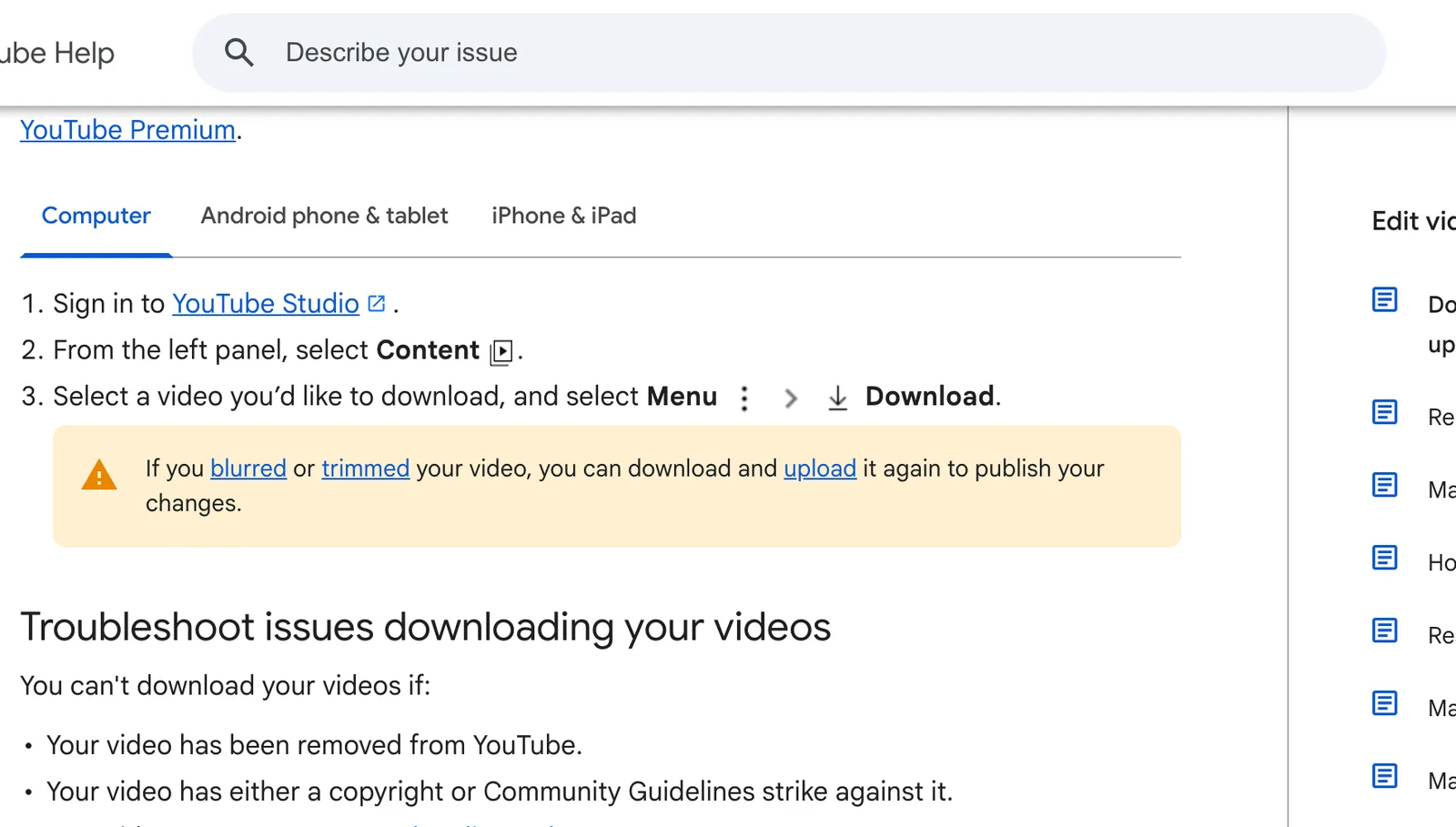
- Get the video file. If you still have the file you uploaded to YouTube, use it: it's the best quality you have. If not, open YouTube Studio, select Content, then the video's Menu > Download.
- Pick the moment. Reels over 3 minutes aren't recommended to new audiences, so post a section, not the whole video. See how long an Instagram Reel can be.
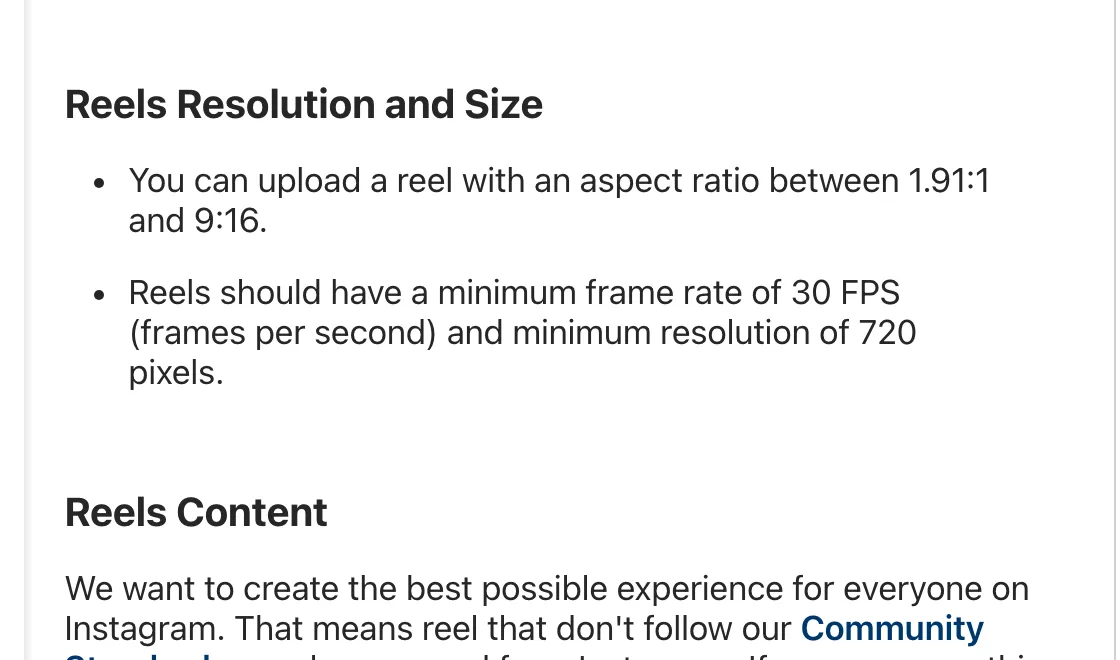
- Make it vertical. Instagram accepts reels from 1.91:1 to 9:16, but a vertical 9:16 video fills the screen.
- Add captions. Plenty of people scroll with the sound off.
- Post it as a reel from the Instagram app or from Instagram on your computer, with a caption that tells people where the full video is.
Can you share a YouTube link on Instagram?
You can share the link, but the video won't play inside Instagram. A link sticker in your story is the usual way to send people to the full video on YouTube. To have the video itself play on Instagram, upload the file as a reel or post.
Why your original file beats the YouTube download
YouTube's help page says Studio downloads are MP4 files in either 720p or 360p, depending on the video size, and you can download each video up to five times a day. Instagram's minimum for reels is 720 pixels, so a 720p download works, but the file you exported before uploading to YouTube will look sharper.
Can you post someone else's YouTube video on Instagram?
Only with permission. YouTube Studio only lets you download your own videos, and reposting someone else's work can be removed for copyright. Instagram's creator tips also say it's less likely to recommend reposts of content that's already on Instagram and content with noticeable watermarks.
Turn one YouTube video into a week of Reels
Upload your original file to goodgoodclips.com. It reads the whole video (up to 4 hours), picks the moments that stand on their own, reframes them to 9:16 with the speaker in frame, adds animated captions and writes an Instagram caption with hashtags for each. Every clip is 1080p with no watermark. goodgoodclips doesn't download from YouTube, so use your original or the Studio download.
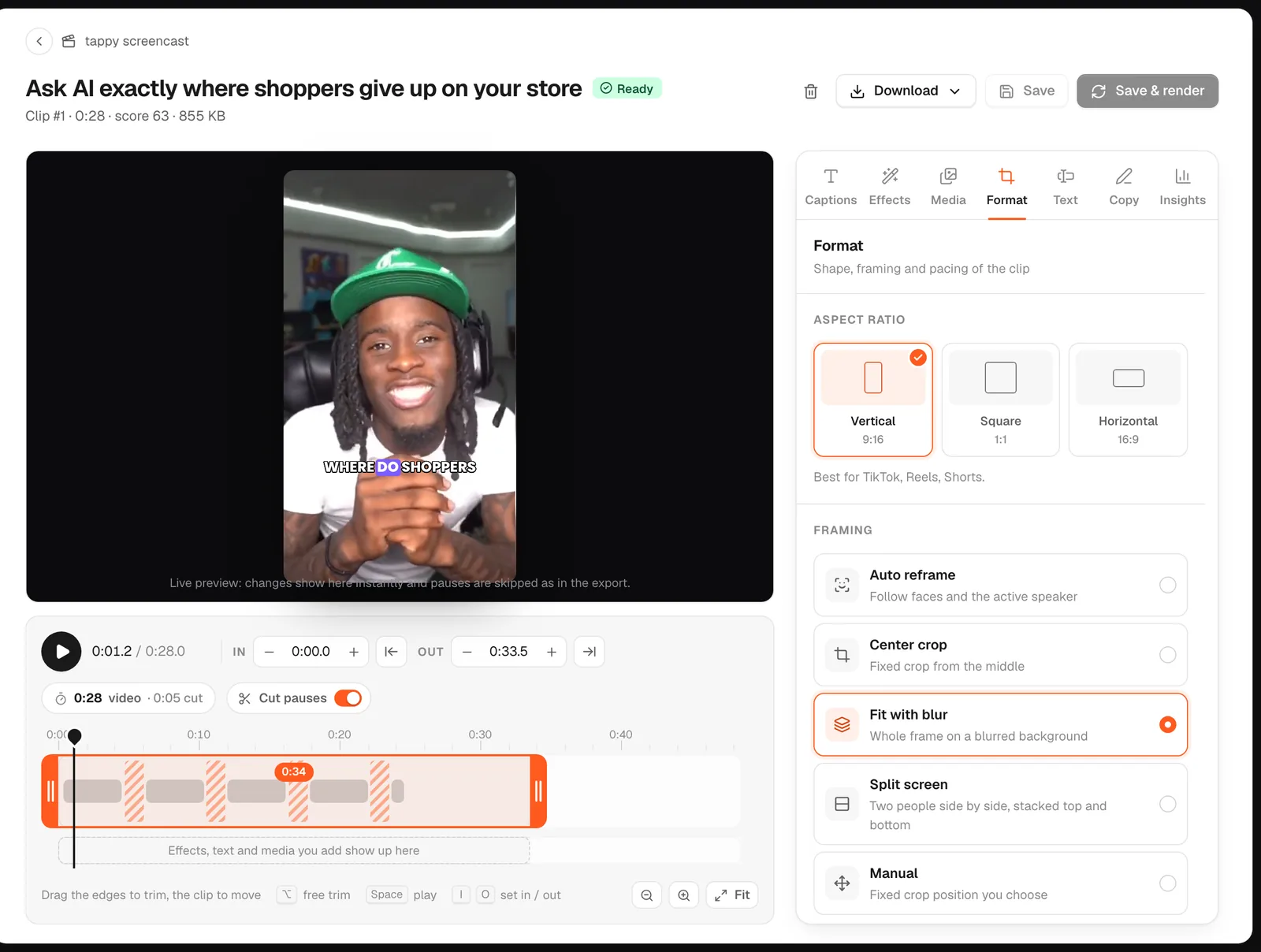

More: how to make a horizontal video vertical and YouTube to Shorts.