Why Is My Instagram Story Blurry? 5 Fixes That Work
Instagram stories usually look blurry because the photo or video was smaller than Instagram's 1080-pixel width, Instagram compressed it on upload, or the file was already compressed before it got there. Each has a fix. And if you post clips from longer videos, goodgoodclips.com exports them as sharp 1080p vertical files.
How to fix a blurry Instagram story
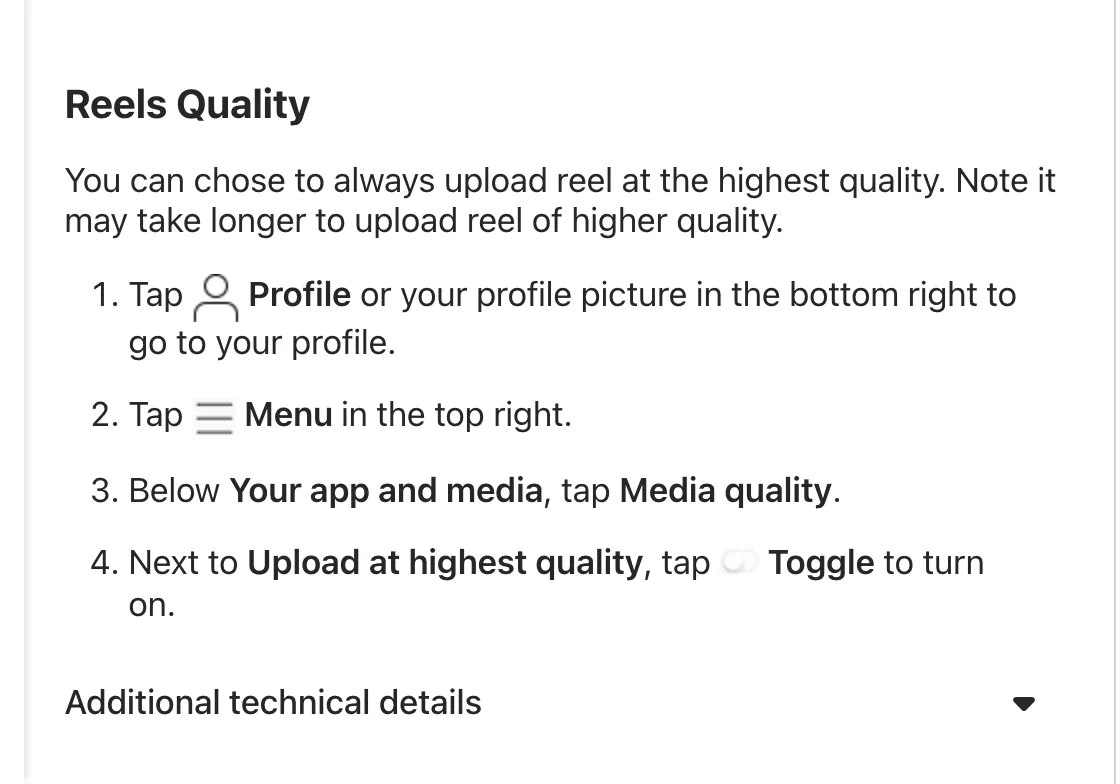
- Turn on Upload at highest quality. Go to your profile, tap Menu, then under Your app and media tap Media quality and turn on Upload at highest quality. Instagram documents it for reels, and notes uploads may take longer.
- Turn off Data Saver. It's in the same settings area and exists to reduce how much cellular data Instagram uses; turn it off when quality matters.
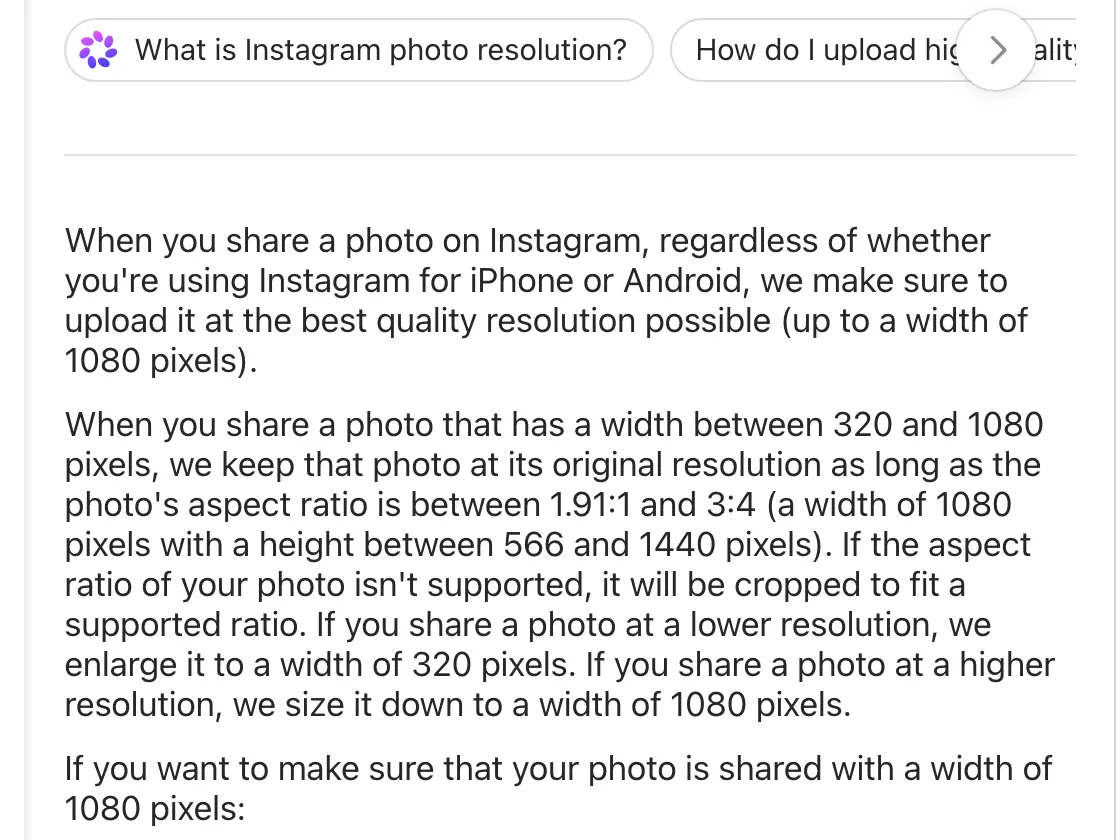
- Use media at least 1080 pixels wide. Instagram shares photos at up to 1080 pixels wide, so anything smaller gets enlarged.
- Post the original file, not a screenshot, a screen recording or a copy sent through a messaging app.
- Shoot or export vertical (9:16) so Instagram doesn't crop or zoom into your story.
What size should Instagram story photos be?
Instagram's photo resolution page says it uploads photos at up to 1080 pixels wide. Photos between 320 and 1080 pixels wide keep their resolution if the aspect ratio fits; smaller ones are enlarged to 320 pixels, which is where blur comes from. For a full-screen story, use 1080×1920.
Are your Reels blurry too?
The same fixes apply. Instagram's reel size rules are an aspect ratio between 1.91:1 and 9:16, at least 30 frames per second and at least 720 pixels. Upload a 1080×1920 file with Upload at highest quality on.
Post sharp clips from your long videos
Upload a podcast, stream or interview to goodgoodclips.com and each clip comes out as a vertical 1080p MP4 with captions and no watermark. Post it as a reel and share it to your story, or post it to your story directly.

More: why your TikTok looks low quality after upload and Instagram Reels growth strategy.