YouTube Video Size: Dimensions and Aspect Ratio (2026)

The standard YouTube video size is 16:9, and 1920×1080 pixels (1080p) is the size most creators upload. YouTube's player adapts to other shapes, but a horizontal 16:9 video fills it on a computer. If you also post your videos as Shorts, TikToks or Reels, goodgoodclips.com turns the best moments into 16:9, square or vertical 9:16 clips in 1080p.
YouTube video dimensions for 16:9
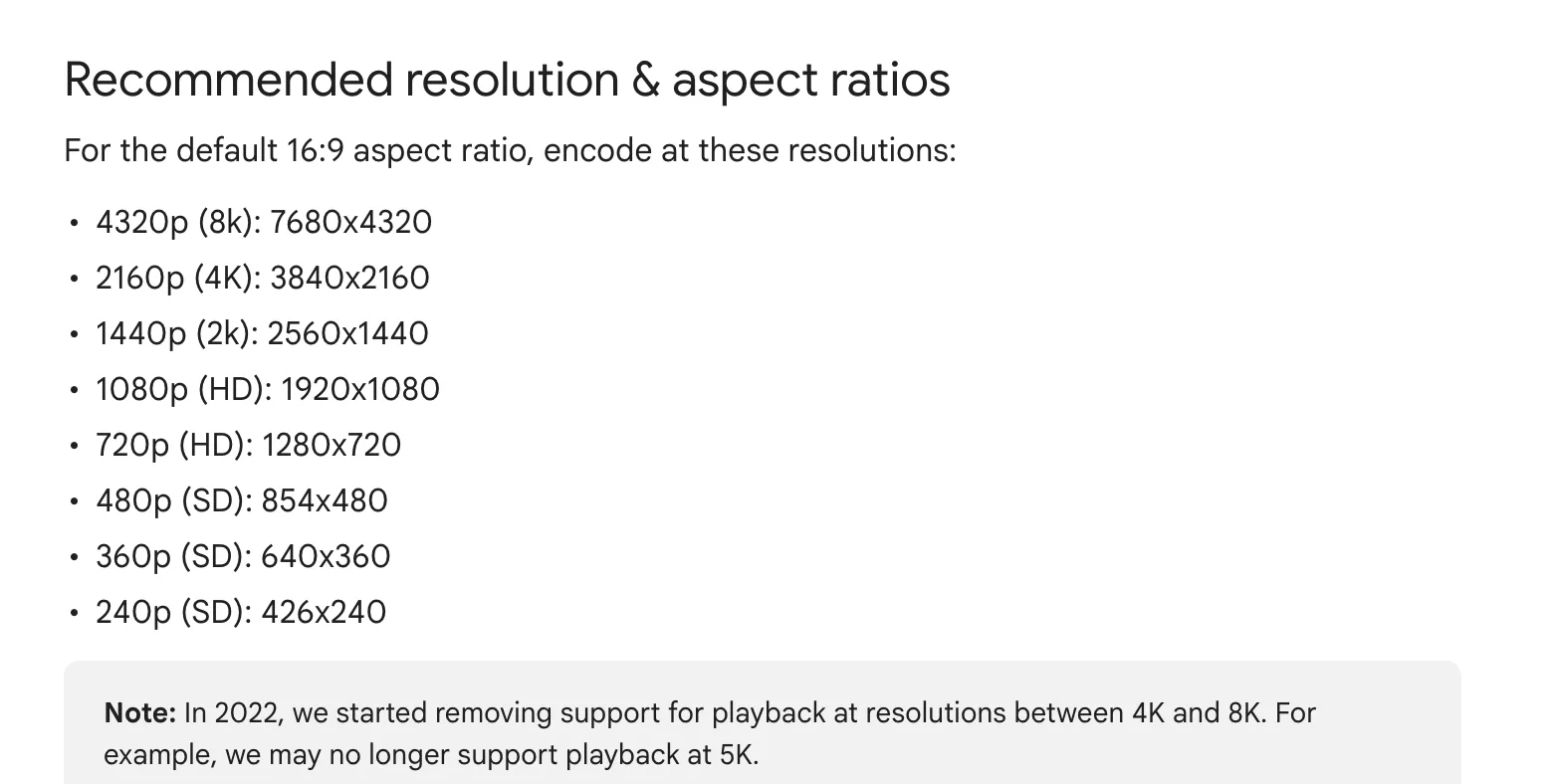
These are the resolutions YouTube recommends for its default 16:9 aspect ratio, from its help page on video resolution and aspect ratios, starting with the most common:
| Quality | Size in pixels |
|---|---|
| 1080p (HD) | 1920×1080, the size most creators use |
| 4320p (8K) | 7680×4320 |
| 2160p (4K) | 3840×2160 |
| 1440p (2K) | 2560×1440 |
| 720p (HD) | 1280×720 |
| 480p (SD) | 854×480 |
| 360p (SD) | 640×360 |
| 240p (SD) | 426×240 |
What aspect ratio does YouTube use?
16:9 is the standard on a computer. If your video has a different aspect ratio, YouTube's player changes size to match the video and the viewer's device. For 9:16 vertical videos in a desktop browser it may add padding around the video, white by default or dark grey in dark theme. YouTube advises against adding black bars to the video yourself, because they stop the player from adapting.
Which size should you use?
- 1920×1080 (1080p) for most videos. It's full HD and keeps upload files a manageable size.
- 3840×2160 (4K) if you filmed in 4K and want viewers on big screens to see it.
- Don't upscale. Exporting a 720p recording at 4K makes a bigger file, not a sharper picture.
- Square or vertical, up to 3 minutes, if you want the video to be a Short. See YouTube Shorts dimensions.
For the file itself, YouTube's recommended upload encoding settings are an MP4 container with H.264 video and AAC-LC or Opus audio.
YouTube's maximum file size and length
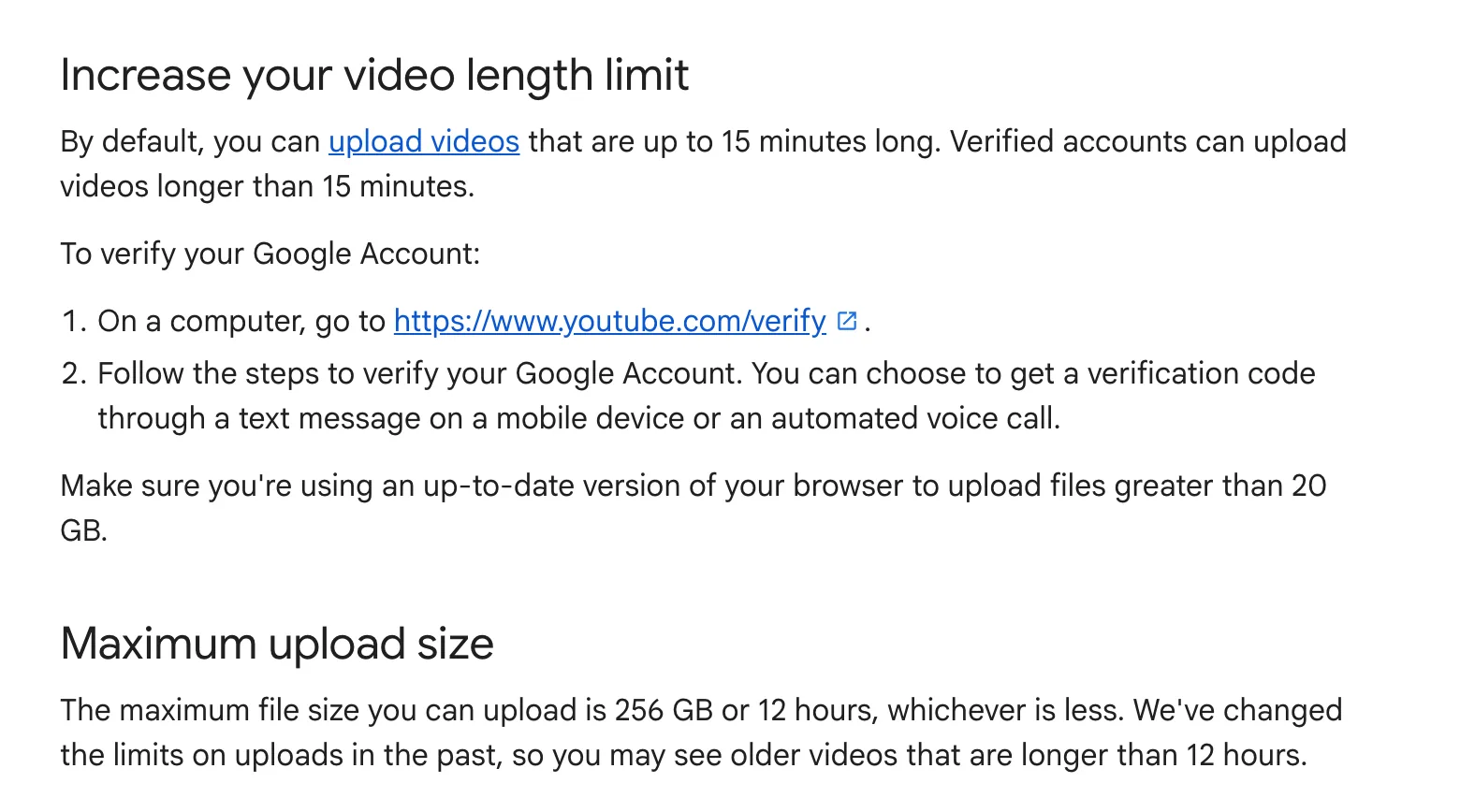
By default you can upload videos up to 15 minutes long. Verify your account at youtube.com/verify to upload longer ones. The most you can upload is 256 GB or 12 hours, whichever is less, according to YouTube's page on uploading videos longer than 15 minutes.
YouTube thumbnail size
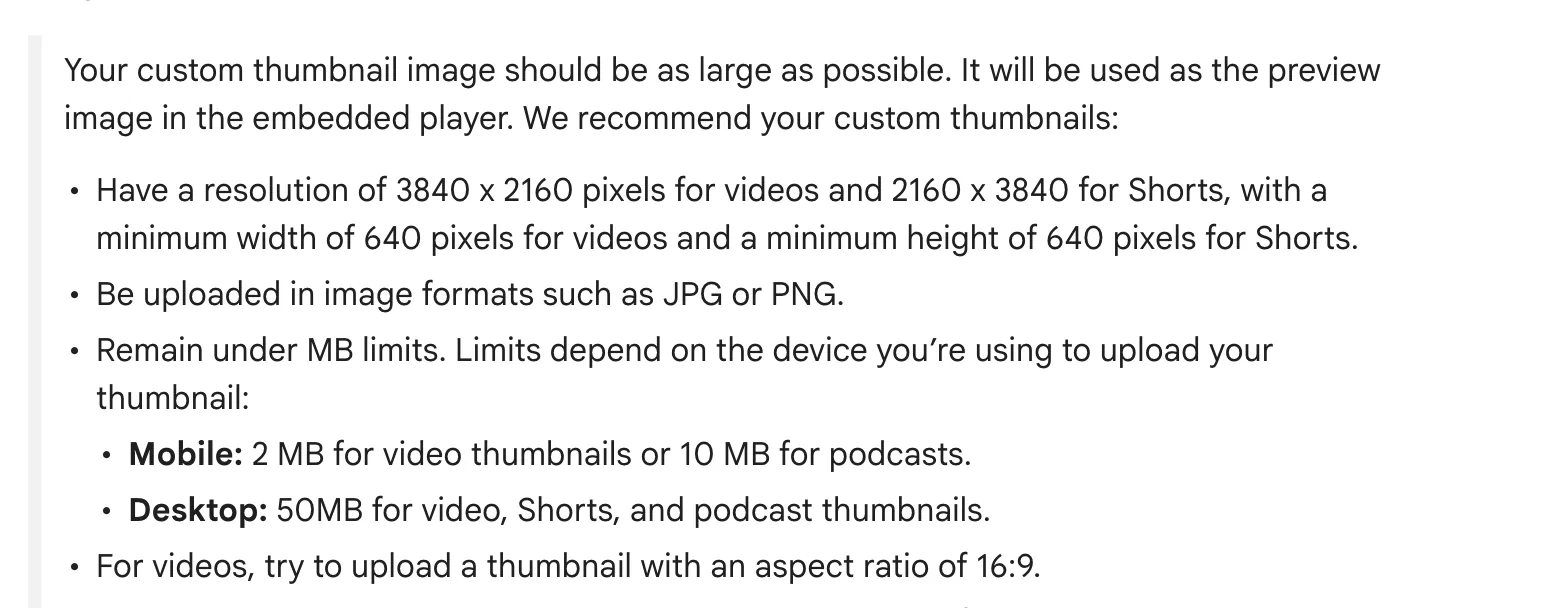
YouTube now recommends thumbnails of 3840×2160 pixels for videos and 2160×3840 for Shorts, at least 640 pixels wide for videos (or 640 tall for Shorts), as JPG or PNG. Desktop uploads can be up to 50 MB; on mobile, video thumbnails are limited to 2 MB. Use 16:9 for videos and 9:16 for Shorts. Custom thumbnails need a verified account, per YouTube's thumbnail help page.
One video, every size
A 16:9 upload is only one place your video can live. Upload it to goodgoodclips.com and it finds the moments that work on their own, then exports each one as 9:16 for Shorts, TikTok and Reels, 1:1 for feeds or 16:9 for YouTube and X, in 1080p with no watermark. You can switch any clip's format in the editor and re-render it without using credits.





Making Shorts as well? See how long YouTube Shorts can be and vertical video dimensions.